Viewing a shared calendar using Webmail
- Log in to Employee Email. If you need help logging in, please follow the instructions on the Accessing Your Email page.
- On the top-right corner, click Calendar.

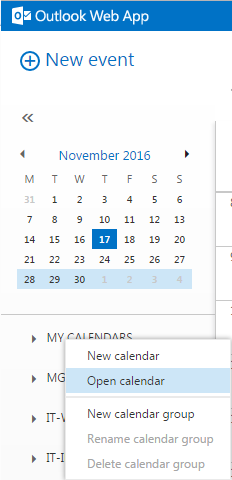
- Right-click on MY CALENDARS and then click Open calendar from the pop-up menu.
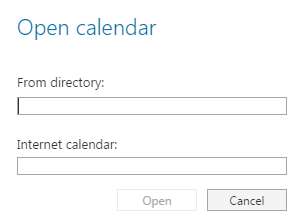
- On the Open calendar screen, fill out the employee name in the From directory field.
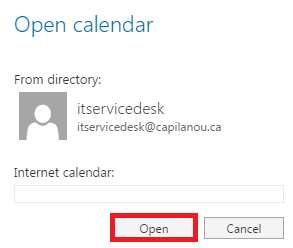
- Once the employee has been chosen, click Open to view their calendar.
- You should now see the calendar.
Viewing a shared calendar using Outlook
- In Outlook, click Calendar in the bottom-left corner of the Outlook window.

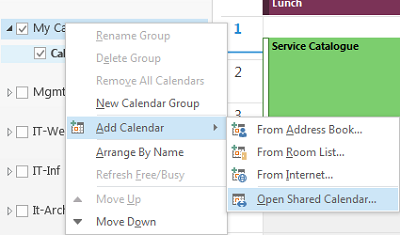
- Right-click on MY CALENDARS, choose Add Calendar and then click Open Shared Calendar.
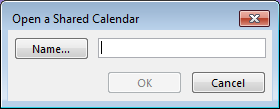
- Click Name in order to choose the employee.
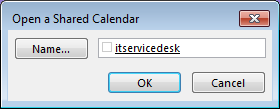
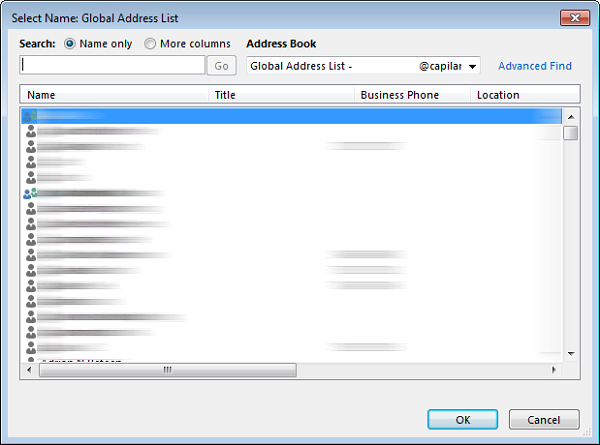
- Select the employee from the Global Address List and click OK.
- Click OK to view the calendar.